How I Built an AI Assistant That Handles My Mornings and My Meetings
How I built an AI assistant with n8n and Claude: a morning brief that consolidates 5 sources into one read, plus 5 on-demand commands for meeting prep, follow-ups, replies, content, and finance. Full workflow breakdown.
My phone used to be the first thing I looked at every morning. Not because I wanted to. Because I had to. Calendar, inbox, anything urgent that came in overnight. 15 minutes of context-loading before I'd even had coffee, just to feel caught up enough to start the day.
That's mostly gone now. Every morning, a brief lands with everything I need: what's on my calendar, what came in overnight, anything that needs a response. And when I need something specific, I message a bot and it handles the task. I didn't hire anyone. I built it, and I'm still the one running it.
Here's the full breakdown: what it does, how it works, and where I still show up.
What the system actually does
There are two features here, and they work differently on purpose.
Feature 1 is the morning brief. It's scheduled automation: it runs on its own every morning and pushes a finished brief to me. No trigger required on my end.
Feature 2 is a set of five commands I run through a Telegram bot whenever I need them: meeting prep, follow-up drafts, message replies, content outlines, a finance check. I ask, it does the work, and I decide what happens next.
Worth being precise about what this is and isn't: it's not an autonomous agent making decisions on its own. It's automation with AI doing the heavy lifting, and me still in the loop. I trigger the commands, I review what it drafts, I send what I approve.
The whole thing runs on n8n, with Claude handling the reasoning and writing at each step. Calendar and email data come from Google Workspace. Telegram is the interface, because it's the one app I actually check.
Feature 1: The morning brief
Every morning, a scheduled workflow fires automatically.
It pulls weather, today's calendar, and everything that landed in my inbox since the last brief. Then it sorts all of it into sections: the forecast, with an honest verdict on whether it's actually dog-walk weather, what's on the calendar, what's in my inbox that's just FYI versus what needs a response or action today, a few news stories the AI picked because they're relevant to my business, and a short read on where AI is moving that I can use with clients. It closes with a plan for the day: when I've got room for deep work, when I'm slammed, what to knock out before my first call.
None of it is a raw data dump. Everything gets sorted into what's worth knowing versus what actually needs me to do something today. That sorting is the whole point. A calendar list and an inbox list don't tell you what matters. A prioritized brief does.
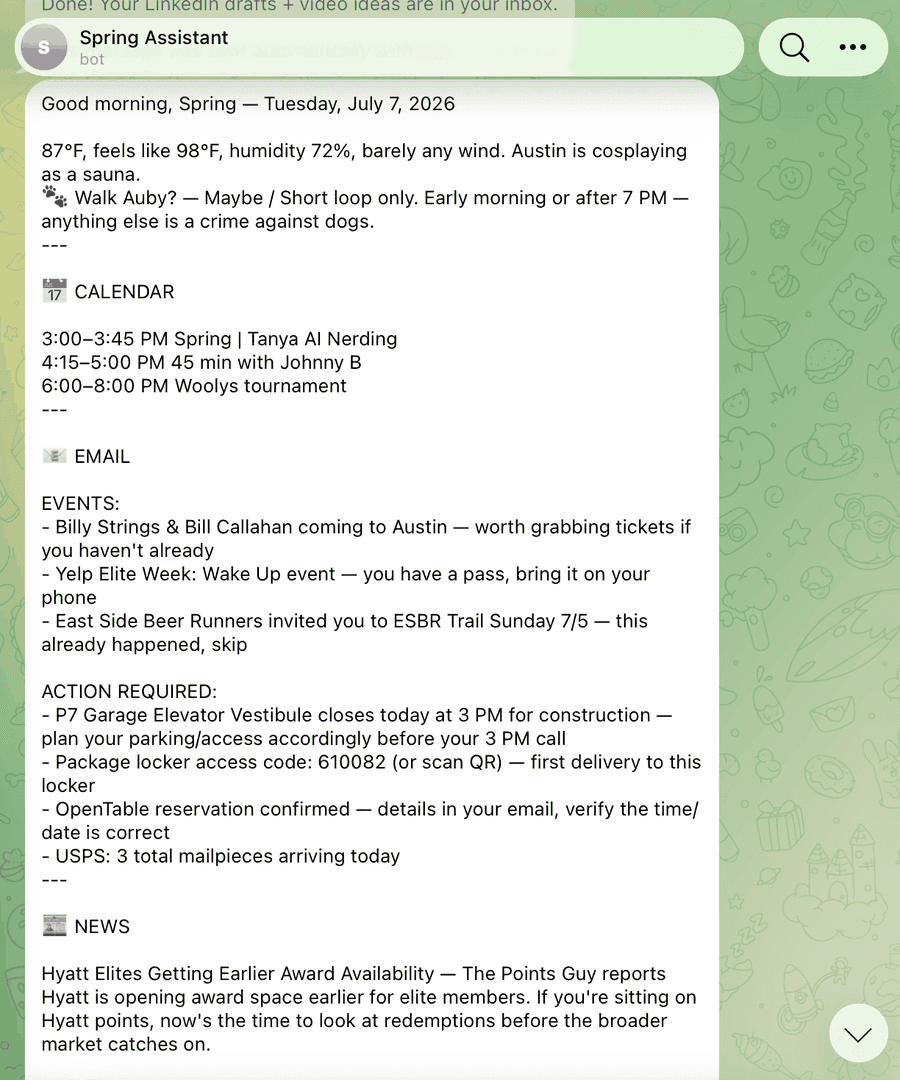
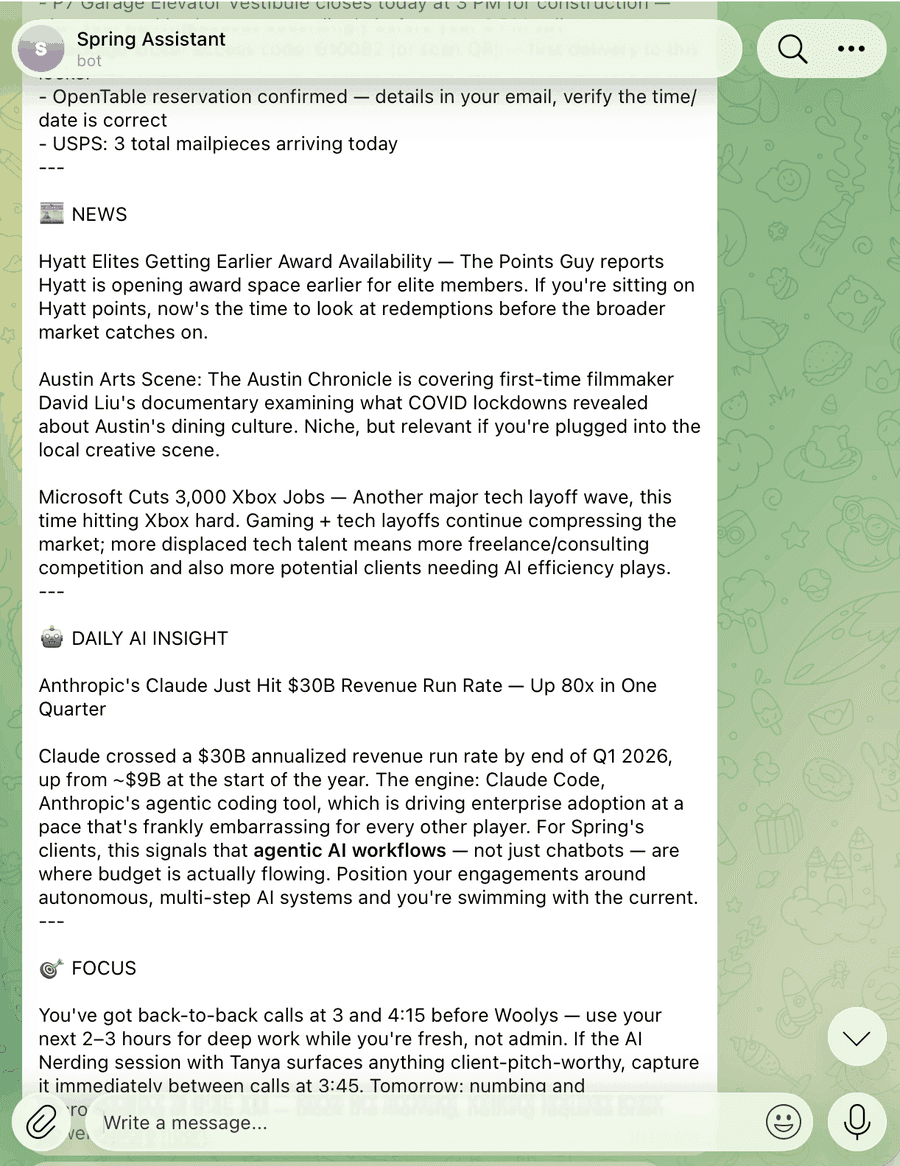
The actual brief, as it lands in Telegram.
By the time I'm making coffee, I already know what the day looks like.
What this replaced: 15 minutes of manual inbox and calendar scanning, plus checking the weather and scrolling news separately, every single morning. Five days a week. That's over an hour a week of context-loading I'm no longer doing.
Feature 2: The chatbot commands
The morning brief is the push side of this system. This is the pull side: five commands, all triggered by me, whenever I need them.
Two of these I use enough to walk through in depth.
/prep: Meeting research
Before a meeting, I send /prepwith who it's with and what it's about. Behind the scenes, the workflow checks my calendar for prior meetings with that person, searches my Gmail history across both accounts, and scrapes their company site, careers page, case studies, and recent news. Claude pulls all of it into one briefing: who this person is, what we've discussed before, and a few talking points.
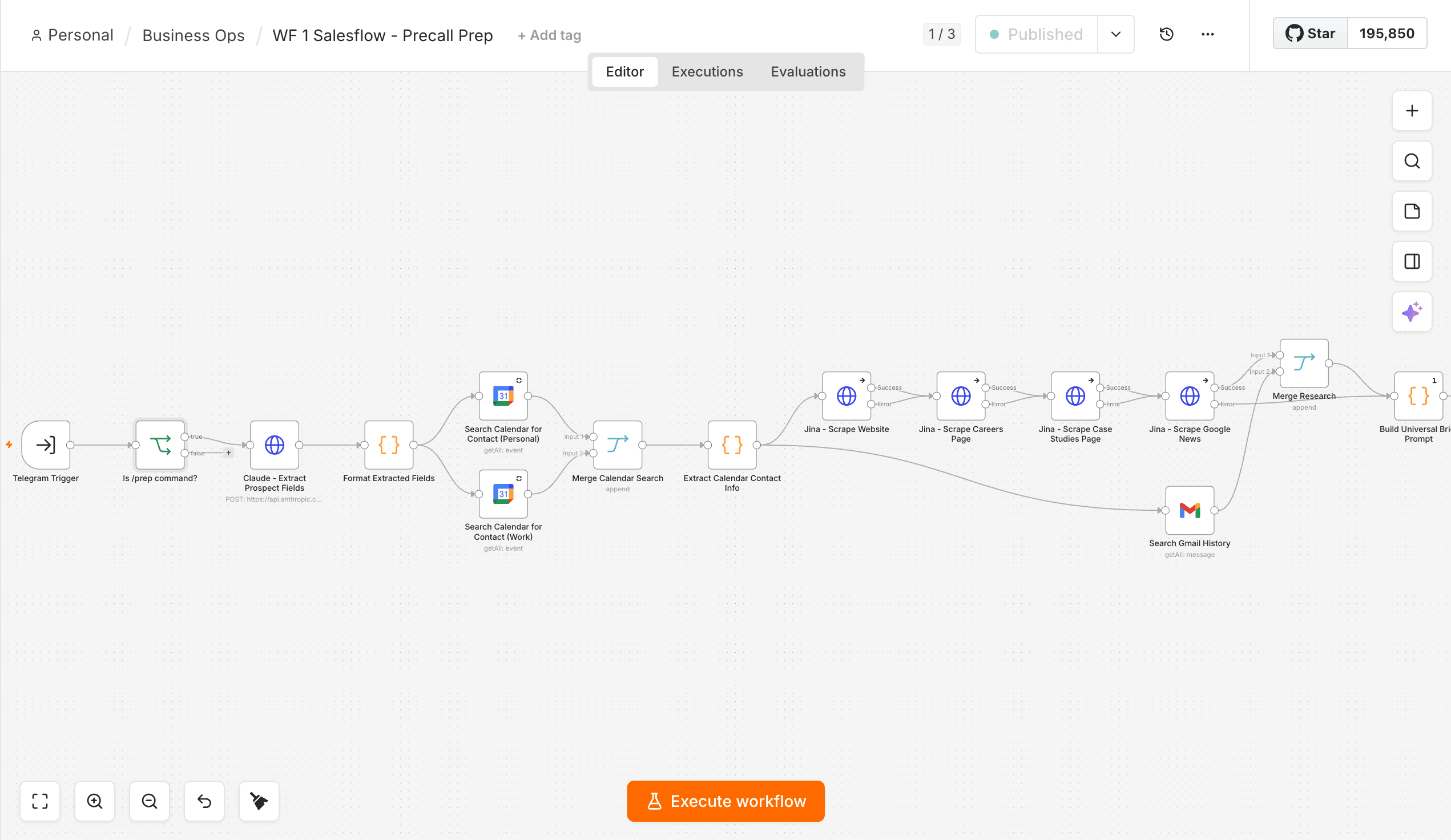
The actual n8n workflow behind /prep.
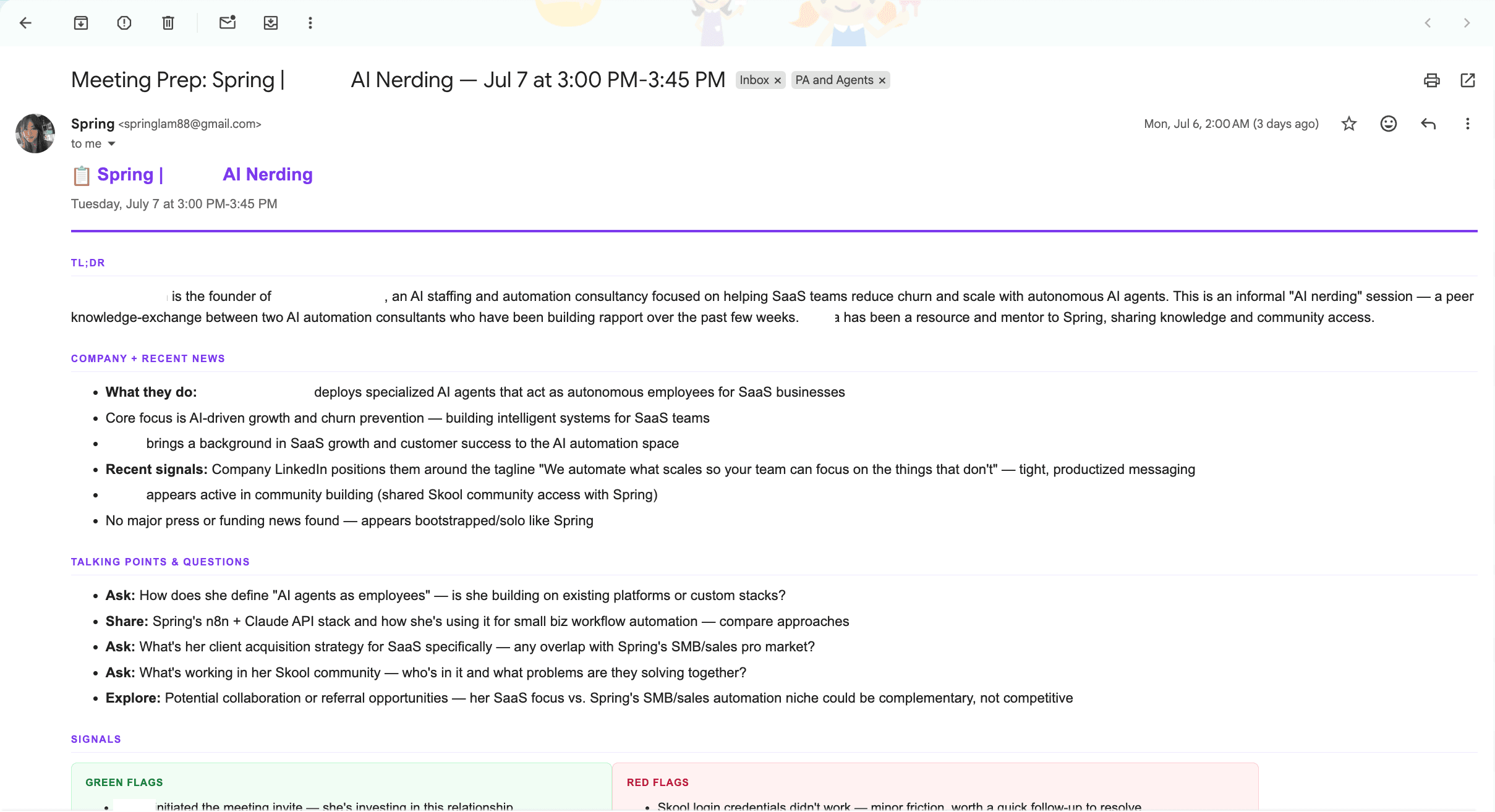
What lands in my inbox. Identifying details blacked out for this post.
Before I built this, meeting prep was something I either did properly (20 minutes of digging through email threads) or skipped entirely and winged it. The quality of conversations has gotten noticeably better since. Walking into a call already knowing the context means sharper questions.
/followup: Follow-up drafting
After a meeting, I send /followup with a few notes about what was discussed. The workflow uses those notes plus any relevant email history to draft a follow-up: recap, next steps, ready to send or lightly edit. It lands as a Gmail draft, not a sent email, so I still read it before anything goes out.
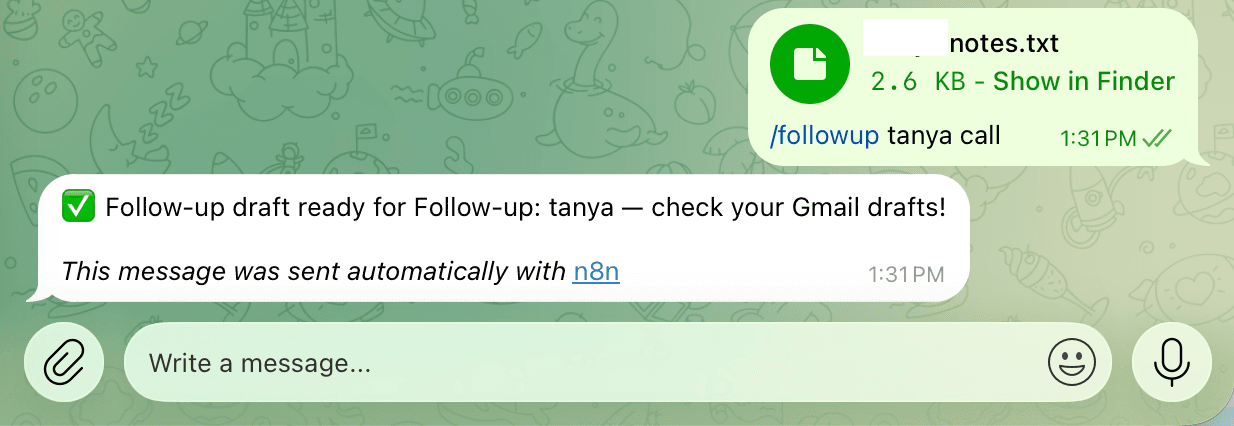
Triggering it from Telegram.
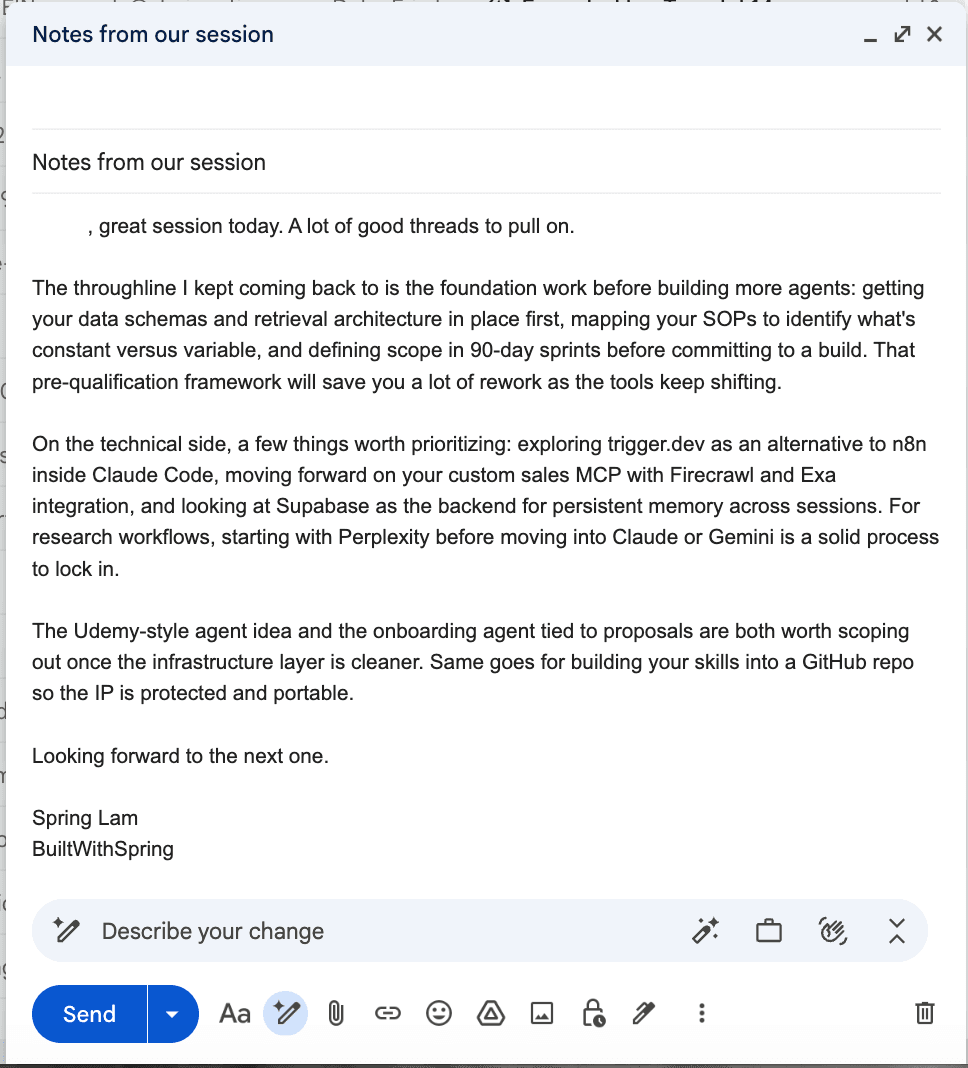
The draft it produces in Gmail. Identifying details blacked out for this post.
This used to sit on my mental to-do list for the better part of a day before I finally got to it. Now I do it within 10 minutes of hanging up the call, while everything is still fresh, because the actual writing effort is close to zero.
The other three
For any business message I need to respond to: LinkedIn DMs, vendor emails, partnership inquiries. I paste it in, it drafts a reply in my voice. No filler, no corporate language.
Turns a rough idea into a couple of LinkedIn post options and a handful of video angles, so I'm not starting from a blank page.
Pulls my portfolio: prices, a macro snapshot, anything newsworthy about my specific holdings. What used to take 20 minutes of tabbing between apps is now a few seconds.
How the pieces connect
The architecture is simpler than it sounds when you lay it out.
n8n is the orchestration layer. Every workflow lives here: the schedules, the triggers, the logic for what data gets pulled and in what order.
Google Workspace (Calendar + Gmail) is the data source for most inputs. Calendar events, email threads, contact history.
The LLM sits in the middle of every workflow that requires interpretation or generation. Raw data goes in, useful output comes out.
Telegram is the interface for on-demand commands and confirmations. It already lives on my phone and I check it constantly. Building a custom interface would have added complexity for no real benefit.
Every workflow follows the same basic pattern:
- Trigger (schedule or Telegram message)
- Fetch relevant data from connected sources
- Pass data and prompt to the AI
- Format the output
- Deliver it
That's it. The complexity lives in the prompts and in making sure the right data gets fetched at the right step, not in the architecture itself.
What I'd do differently
A few things I'd change if I were starting over.
Better email filtering. Right now the morning brief pulls everything that came in since the last one. Some of that is noise. A pre-filter step that removes low-signal email before it hits the AI would make the output cleaner and cheaper to run.
Logging. I don't currently log what the bot produces or what commands I run, which means there's no history to look back on. A simple log would fix that without much effort.
More /prep sources. Right now it pulls from email and calendar. Pulling from a CRM or notes system would make the briefings more useful for calls with a longer relationship history.
None of those are blockers. The system works well enough that I use it every single day without thinking about it. That's the actual measure of whether something is worth building.
The takeaway
This took a few days to build and test properly. It runs on infrastructure I already had. The morning brief doesn't need anything from me. Everything else still does, on purpose. I didn't want a system making calls I hadn't seen.
If you're a solo operator or a small team that's perpetually behind on communication or meeting prep, this kind of system isn't complex to build. The hard part isn't the technology. It's being specific about what you actually need and honest about how much control you want to keep. Get those right and the output is useful rather than impressive-looking noise.